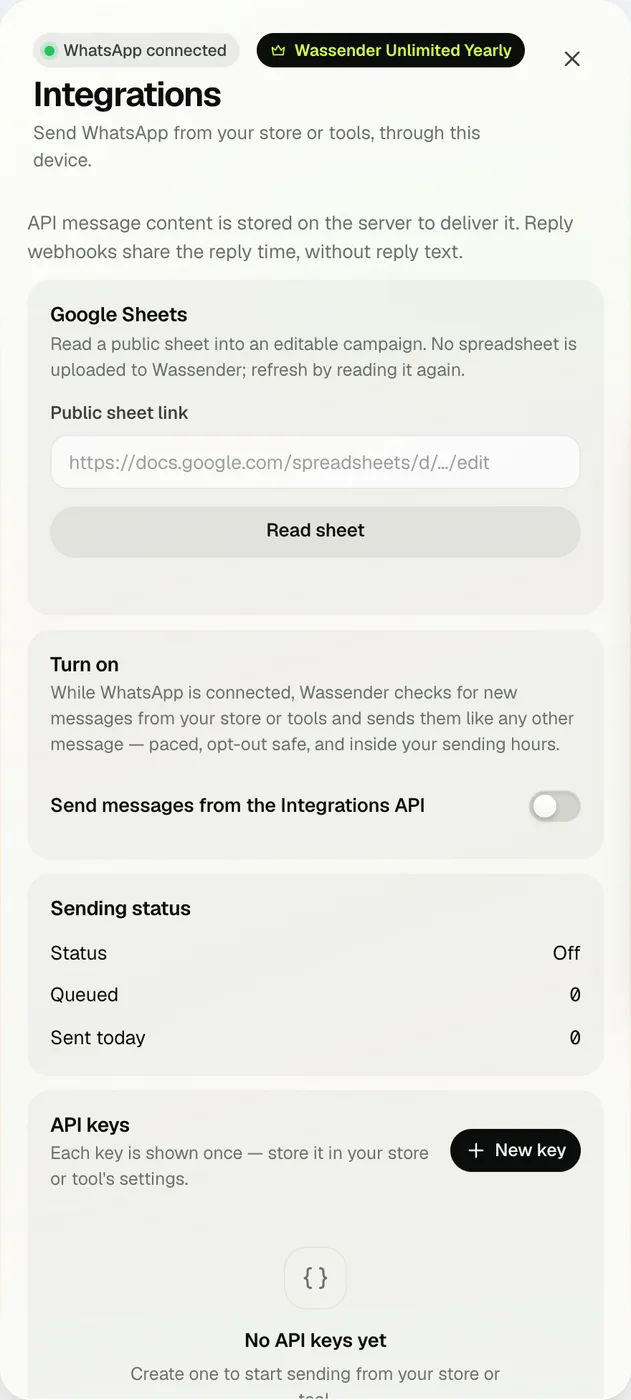
02 · TURN ON SENDINGThis computer does the sending.
Switch on Send messages from the Integrations API. While WhatsApp is connected, Wassender checks for new messages from your tools and sends them like any other message. Sending status shows whether it is watching, waiting for sending hours, paused for a campaign or at its daily limit.
- A send whose outcome is uncertain is never retried automatically.
03 · WEBHOOKSGet told when a message sends, fails or gets a reply.
Add your webhook URL and Wassender posts an event for each send, failure or reply. Every request is signed with HMAC-SHA256 in the X-Wassender-Signature header — verify it with your webhook secret. Send test event checks your receiver.
- Reply webhooks share the reply time, not the reply text.
- Rotate the secret any time; update your receiver after.
04 · GOOGLE SHEETSStart a campaign from a shared sheet.
Paste a public Google Sheets link and press Read sheet. Wassender reads it into an editable campaign; pick the phone column and continue like a spreadsheet import. The sheet is not uploaded to Wassender — read it again to refresh.
 wassender