Beyond campaigns, Wassender adds everyday tools to WhatsApp Web: hide chats from people behind you, keep notes on each customer, see your day at a glance, recap a conversation and read voice notes as text.
01 · PRIVACY
Blur what people behind you shouldn't read.
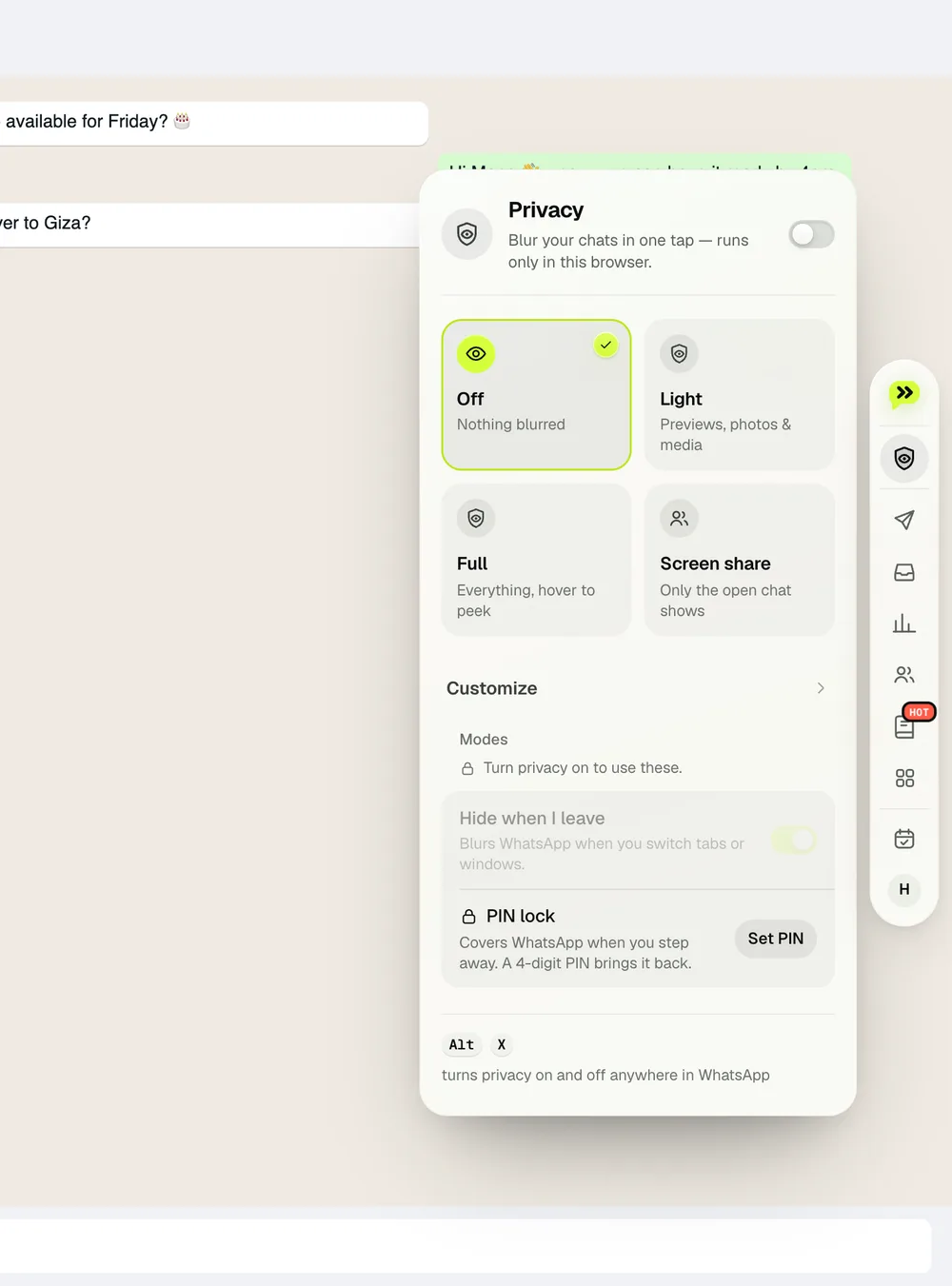
Click the eye-shield in the dock and pick a preset — Light, Full or Screen share — or switch items one by one: chat list, messages, photos, names, profile pictures, numbers and money. Hover to read; it blurs again when the mouse leaves.
Alt + X turns privacy on or off instantly.
Customer mode keeps the open chat readable and blurs every other one.
With Unlimited, a 4-digit PIN locks WhatsApp Web when you step away (Alt + L).
The privacy panel opens from the dock
02 · TODAY
Your day on one card.
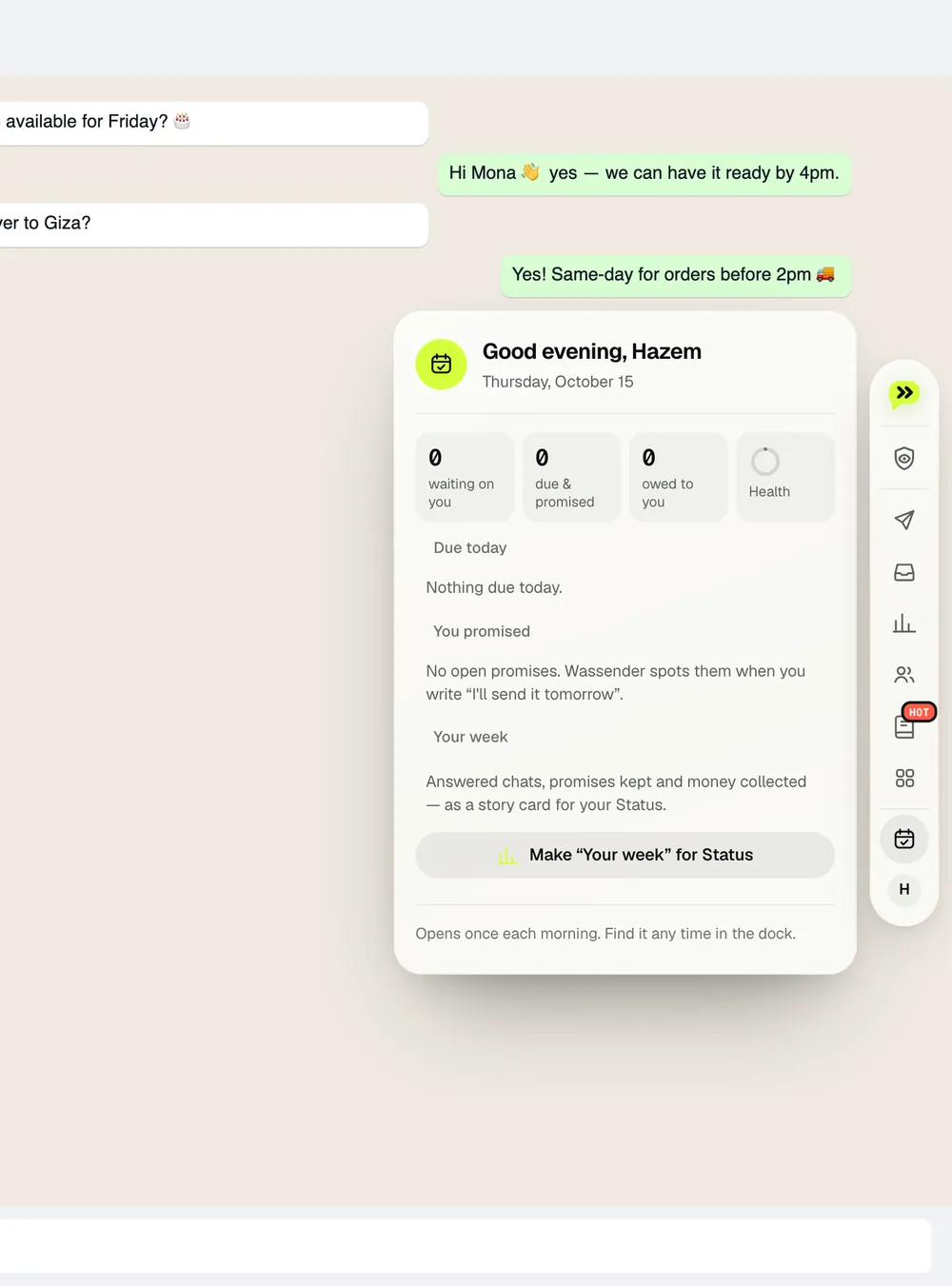
Today opens each morning: chats waiting on you, what's due today, promises you made in chats (“I'll send it tomorrow”) and a short summary of your week. Find it any time in the dock.
Promise catcher spots “I'll send it tomorrow” and reminds you.
Today, opened from the dock
03 · NOTES ON EACH CHAT
Remember sizes, orders and who owes what.
A small capsule above each conversation holds that chat's note, to-dos and balance. Click it to add a note or a checklist; type +450 order or −200 paid on the Balance chip to keep a running total. Sticky notes can also sit on top of the chat.
Notes stay in this browser and never appear in the chat.
Free: a note, up to 3 open to-dos and 2 sticky notes per chat. Unlimited adds reminders, colours and pinned facts.
04 · RECAP AND VOICE
Recap a relationship, read a voice note.
Click the lime Recap capsule in a chat header for full-screen stories: total messages, who starts, your busiest hour, favourite emoji and more — then save it as a PDF or images. Next to any voice note, click Transcribe to read it as text.
Recap is counted in your browser; nothing is uploaded.
Voice to text runs a speech model inside Chrome — the audio never leaves your computer. The first use downloads it once (about 40 MB).
Which tools are free
Tool
Free
Unlimited adds
Privacy blur
All presets and switches, Alt + X
PIN lock
Chat notes and to-dos
A note and 3 open to-dos per chat
Reminders and pinned facts
Sticky notes
2 yellow notes per chat
More notes, colours and styles
Balances
Included
—
Recap
Included
—
Voice notes to text
Included
—
Is any of this sent anywhere?
No. The blur is a visual layer on your own screen; the people you chat with see nothing different. Notes, balances, recaps and transcripts are stored in this browser on this computer, separately for each WhatsApp number, and are never uploaded.
NEXT GUIDE
Turn conversations into follow-ups.
Inbox keeps every reply, note and reminder in one place.
 wassender